Features
A number of taxonomic classes have secondary characters to signal the presence of certain spectral features,
such as Ch, Xk, Xn, Ee. The presence or absence of these features must therefore be determined prior
to taxonomic classification.
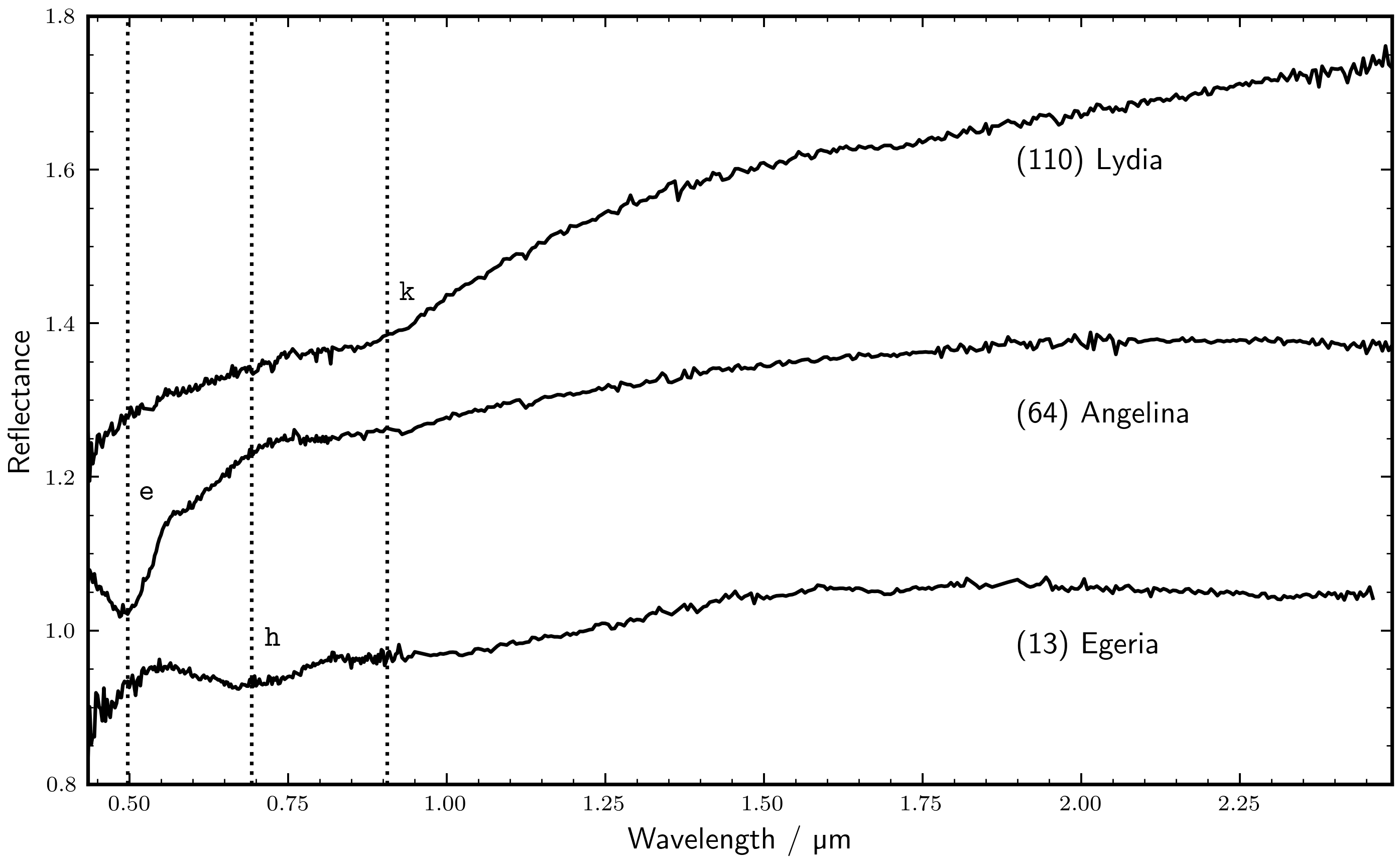
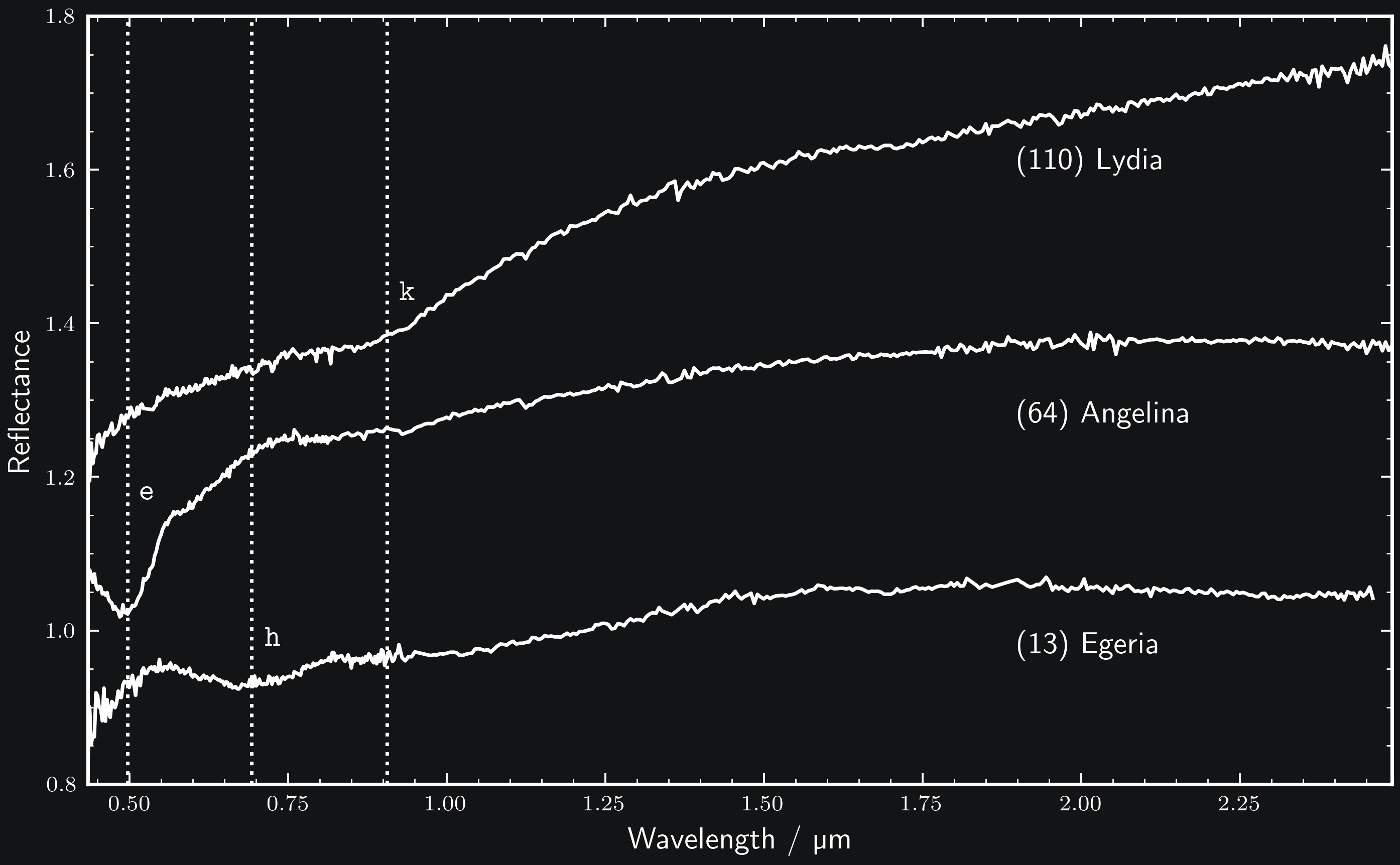
classy recognises three spectral absorption features as taxonomically
relevant: e, h, and k. They are defined in Mahlke, Carry, and
Mattei 2022. Example spectra presenting the features are shown below.
Inspection
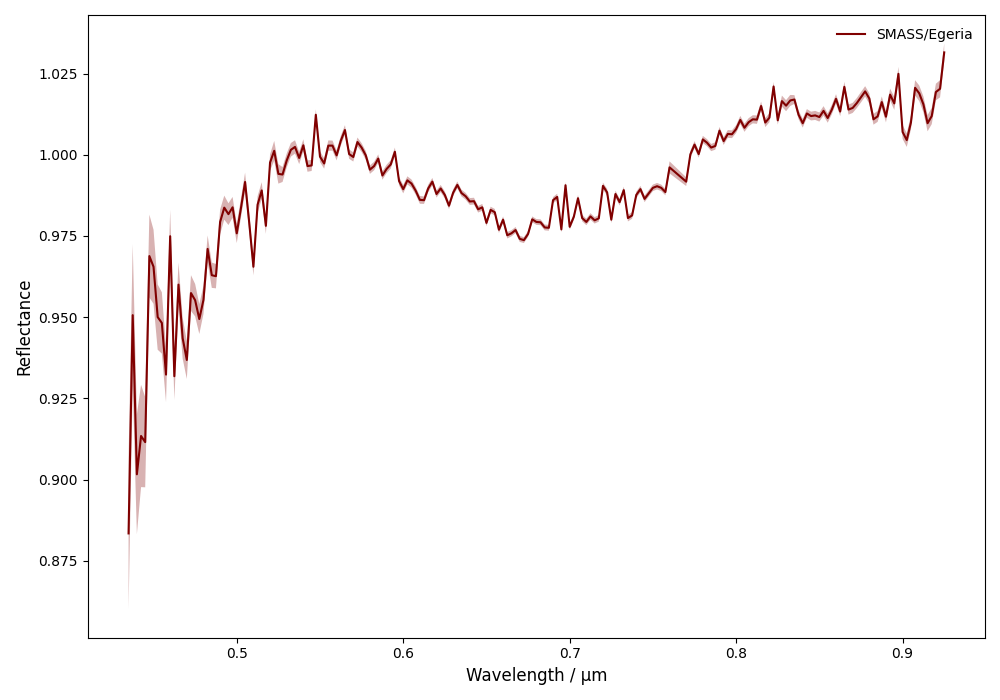
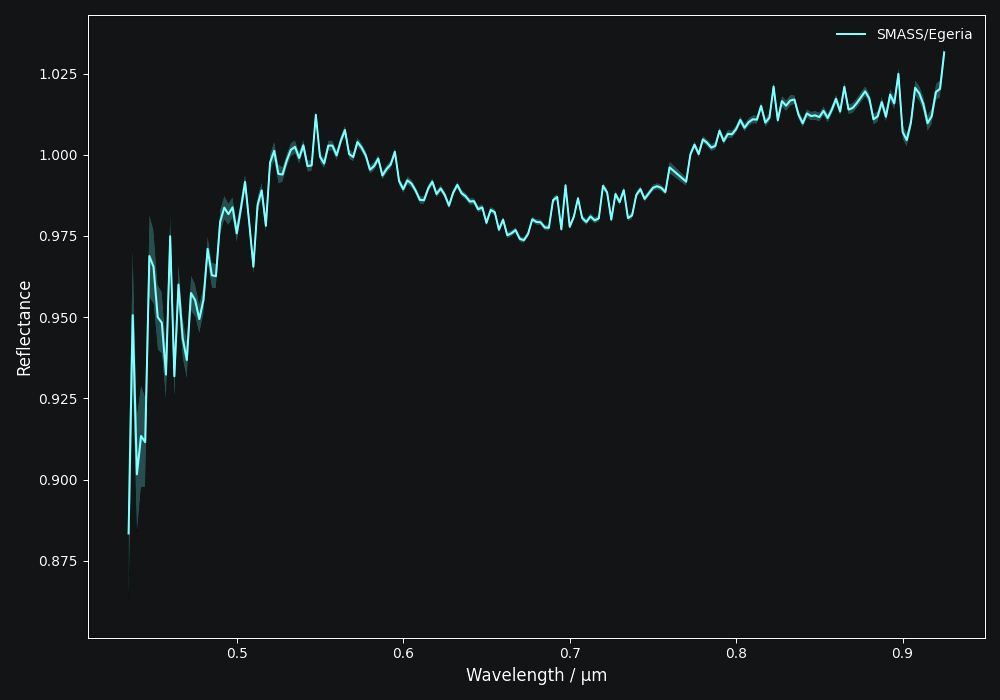
Let’s take this spectrum of (13) Egeria from Bus and Binzel 2002 as an example.
>>> import classy
>>> spectra = classy.Spectra(13, shortbib="Bus and Binzel 2002")
>>> spec = spectra[0]  # Select first spectrum from list
>>> spec.plot()
Each spectrum in classy has the e, h, and k attributes which
represent the absorption features. Each feature has three different attributes
which represent its presence or absence:
is_covered:Trueif the spectrum covers the feature wavelength range, elseFalseis_candidate:Trueifis_coveredbut the band has not been inspected yet by the user, elseFalseis_present:Trueif the presence of the band has been visually confirmed by the user, elseFalse
This means that, by default, classy assumes that all features are absent in a given spectrum. However, it automatically
determines whether the feature range is covered by the spectrum.
>>> spec.e
<Feature e>
>>> spec.e.is_covered
True
>>> spec.h
<Feature h>
>>> spec.h.is_covered
True
>>> spec.h.is_candidate
True
>>> spec.h.is_present
False
>>> spec.k
<Feature k>
>>> spec.k.is_covered
False
>>> spec.k.is_candidate
False
We see that the spectrum of (13) Egeria covers the e and h but not k. k is not a candidate
and classy will exclude from any of the steps below automatically.
The h feature is present in the spectrum but classy does not know it yet. It remains a is_candidate spectrum.
The same is true for the e feature, although we can see that it is not present. To change this, we have to visually
inspect the features and store the decision in the classy feature index.
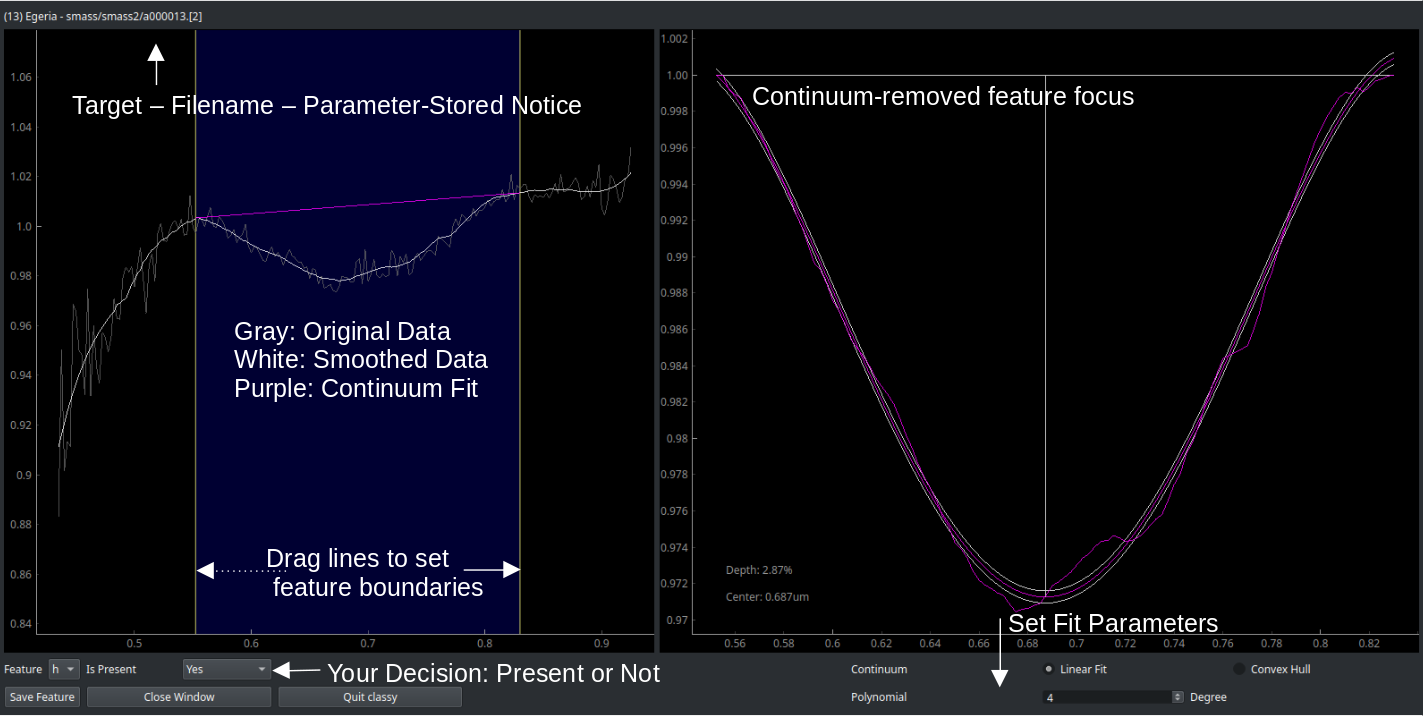
Use the features command to inspect features in any number of spectra. You select the spectra
using the spectra selection syntax.
Only spectra that cover the feature wavelength ranger will be included.
The spectra will be smoothed before if smoothing parameters are in the preprocessing index.
$ classy features --shortbib "Morate+ 2016"
Unlike in the general syntax, the feature keyword here serves to
select one or many of the features to fit.
$ classy features --shortbib "Morate+ 2016" --feature h
$ classy features --shortbib "Morate+ 2016" --feature e,k
By default, features that have already been inspected are skipped.
Use the force argument to override this behaviour.
$ classy features --shortbib "Morate+ 2016" --force
This will open the interactive fitting interface that is shown below.
You can request to inspect features at different levels of the classy hierarchy:
>>> spectra = classy.Spectra(shortbib="Morate+ 2016")
>>> spectra.inspect_features()  # inspect all features of all spectra
>>> spec = spectra[0]
>>> spec.inspect_features()  # inspect all features of this spectrum
>>> spec.h.inspect()  # inspect the h feature of this spectrum
When using inspect_features, only spectra that cover the feature
wavelength ranger will be included.
The spectra will be smoothed before if smoothing parameters are in the preprocessing index.
You can select the feature to fit using the feature argument.
>>> spectra.inspect_features(feature=['h', 'k'])
By default, features that have already been inspected are skipped.
Use the force argument to override this behaviour.
>>> spectra.inspect_features(force=True)
This will open the interactive fitting interface that is shown below.
Analysis
Once you have fit a feature, the fit properties are available as attributes.
>>> spec.h.is_present
True
>>> spec.h.center
0.6904584561717655
>>> spec.h.depth
2.705244585887634  # in percent
The inspection results are stored in the feature index. When you load the same spectrum
in another analysis, classy sets all relevant feature attributes and marks the spectrum directly
as inspected.
Reproducibility
The feature index makes it easy to share your work and results with other users of classy.
This increases reproducibility and prevents two people from having to inspect the same spectra.
Instructions on how to share parts of your feature index are given in the Appendix.